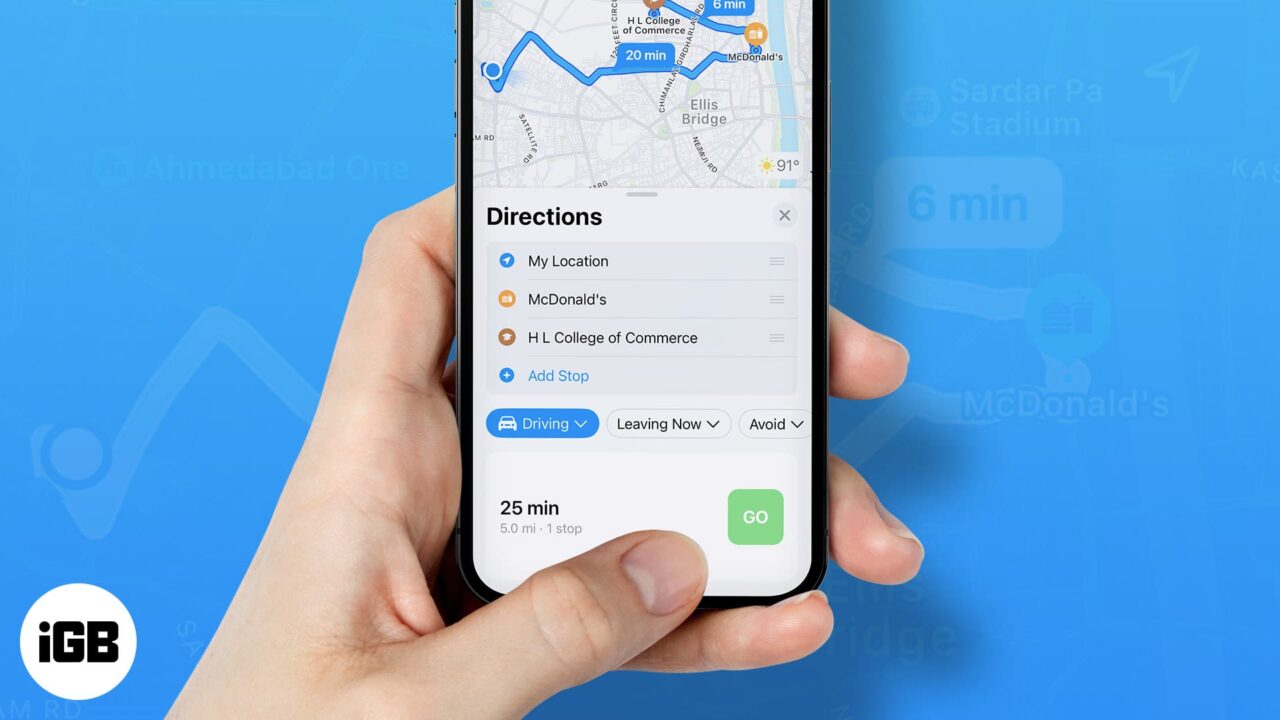
Google Maps, the popular navigational app, continues to evolve, recently following the lead of Apple Maps by integrating landmarks such as traffic lights and stop signals into its directional commands. Previously only providing distance-based directions like “turn left in a quarter of a mile,” the app now incorporates more specific and intuitive landmarks. For example, it may instruct users to “make a left turn at the next stop sign or the second traffic light.”
Google Maps proves useful beyond mere navigation. Once users reach their destination, the app can assist in locating amenities like restaurants, accommodations, entertainment venues, gas stations and more. However, not all of its features have been well received. Recently, some Reddit users voiced their annoyance with a particular search filter in Google Maps.
Currently, the app offers a “Open now” filter when users search for specific places like “UPS near me.” This convenient feature allows users to see only results for locations that are currently open. But, the problem arises when users are already on an active route and want to add a stop. In these instances, there is no way to access and apply the “Open now” filter.
Imagine this scenario: You’re driving and suddenly realize you could use a coffee pick-me-up. You recall a coffee shop en route to your destination and decide to add it as a stop, even though it may extend your travel time slightly. Upon arrival, you find the shop dark and the doors locked. The sign in the window tells you it closed an hour ago, well before you added the address to your app.
The challenge lies in the fact that while a search result in Google Maps typically displays the hours of operation, this crucial information can be easily overlooked or blurred by the pressure of real-time navigation. As a result, users may find themselves unknowingly navigating to closed locations.
Why is the “Open now” filter feature not available while on an active route in Google Maps?
As it stands, Google Maps does not currently offer the feature to filter for locations that are “Open now” while the user is on an active route. This limitation could be due to technical challenges or simply an oversight in user experience design.
What happens when you add a stop to your active route in Google Maps?
When you add a stop to your active route in Google Maps, the app updates your route to include the new destination. However, it does not currently provide you with the option to filter for locations that are “Open now.”
What is the potential solution to this issue?
A possible solution to this problem could be for Google Maps to make the “Open now” filter available and activated by default when users are on an active route. This would prevent users from inadvertently driving to closed locations and improve overall user experience.